
MixMeister - Activating and Managing Your Mixmeister License
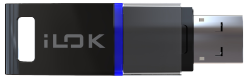 Before getting started with your new MixMeister Express, Studio, or Fusion software they'll first need to be authorized. While there are several ways that you can do this, the most efficient method is entering the license directly into the iLok License Manager. This article walks through the easiest way to create an account and authorize your new software, as well as tips on deactivating and moving licenses for use on other computers.
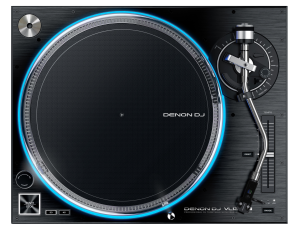 As I mentioned in my , turntables are getting very popular again. This is probably a good time to take a step back and look at the two main types of turntables in use today—belt-drive and direct-drive—explore how they work, what the thought is behind each one, and what the pluses and minuses are of the two types.
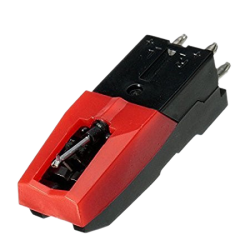 There is an undeniable attraction to playing records. Real music and equipment enthusiasts—so-called “audiophiles”—swear that nothing sounds as good, as realistic, as “organic” if you will, as a great record. Audiophiles tend to like the sound of analog records better than digital music. In this article, we discuss one of the most important pieces of the turntable and why it matters: The Cartridge.
 Garageband software is a great tool on Apple computers for simple recording projects. Since the software is designed to be easy to use there is no manual mapping parameters available to set up with your MIDI device. This article will walk through the utility setup which will allow transport control in Garageband.
 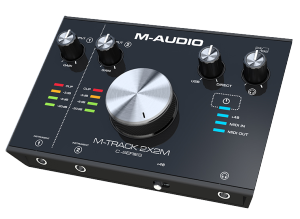 Your USB Audio Interface can be set as your default audio device to allow you to listen to content on your computer through your interface! This guide will show you how to set your interface as your default device on a Mac or Windows computer.
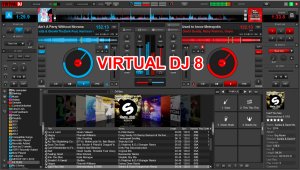 Setting up a Numark DJ controller in Virtual DJ 8 may look intimidating but it’s a pretty easy task. The guide below will walk you through on how to properly setup your Numark DJ controller in Virtual DJ 8. This guide is universal for all Numark DJ controllers.
  Serato DJ Intro is a powerful software that makes it quick and easy way to beatmatch, mix, and scratch music files from your computer using a wide variety of DJ controllers. This guide covers downloading and installing Serato DJ Intro.
 Mixcraft 6 is a powerful music production and multi-track recording workstation that comes packed with thousands of music loops and dozens of audio effects and virtual instruments. In this guide we cover the simple steps required to setup your MIDI keyboard and begin recording. We are using an M-Audio Keystation Mini 32, but these steps can be used with any MIDI device.
  Recording sets in Serato DJ is a pretty simple process though there is more to recording than to just simply press the record button. The more familiar you are with the recording process the easier it will be keeping your mixes sounding dynamic and professional. In this day and age your mix can be a good way to help get you gigs, create fans, promote your DJ profile, increase your skills or just to enjoy a blend of your favorite tracks.
  If you have misplaced your Virtual DJ LE CD, then this guide is for you! It walks through the steps to create a Virtual DJ account and then register your license code to receive the latest version of the Virtual DJ LE software.
 Virtual instruments play a significant role in the vast majority of the music made today. With the ever-increasing processing power of computers, software synthesizers have become an extremely capable, convenient, and affordable option for the recording artist in comparison with their predecessors. This article summarizes the fundamentals of sound synthesis, some of the associated terms and commonly-used acronyms, and how it is predominantly incorporated into modern recording environments.
 Virtual DJ provides the user mapping capability to support almost any external MIDI controller today. Virtual DJ uses its own action scripting called, “VDJScript”, when assigning the functionality of a MIDI controller. This tutorial will demonstrate how to edit and assign controls from within the Virtual DJ software to a MIDI controller.
 Serato DJ’s Multi FX Mode allows the DJ to easily control and apply extra creativity when using Serato's DJ FX. This tutorial will show you how to apply effects and utilize them during your DJ performance. When applying these effects, please refer to your DJ controller owners manual on how to execute them. For more information on your controller, please log onto .
 Logic Pro uses the Mac only format known as "Audio Units" to host 3rd party plugin effects and instruments. This guide provides an overview of the Audio Units Manager and some common troubleshooting.
 Here is a very simple guide that will show you how the enable the use of your transport controls with your MIDI controller in Fruity Loops 11. For this demonstration, we are using the MPK 88 by
  When a DJ is on the go and needs to easily have their Serato music library on hand, using a USB Drive is the way to go. With a USB Drive, a DJ can show up to a bar, club or party and immediately plug into an existing Serato setup on any computer.
 MIDI can be a very powerful tool when making music in the digital world. Although MIDI can get very complex, the basics are easy to understand. In this article we will cover some of the terms you may come across when reading about MIDI. These are also the same MIDI terms you may see referenced in your product's user manual.
 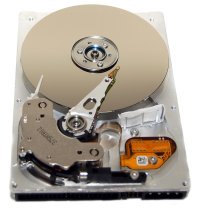 One of the most important parts of studio maintenance is backing up your studio computer. It's a simple and often overlooked step that can save you the pain and frustration of losing countless hours of valuable work and time. The time and money investment is minimal to establish a regular backup plan.
 This tutorial walks through how to map a MIDI controller in Serato DJ. This guide teaches how to map personal preferences, save them, and then load the saved settings into the Serato DJ software.
 The various Serato DJ software programs offer a variety of features to help enhance your DJ performance. One feature offered is the ability to analyze audio files prior to using them. Analyzing an audio file prepares the waveform overviews, detects file corruption, calculates BPM values and creates Beatgrids. This articles walks through why and how to analyze audio files in Serato.
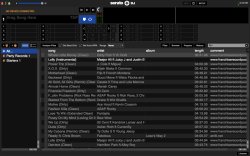 All DJs know how important it is to keep their music libraries organized. Serato makes it easy by including a feature called Crates. Many Numark controllers such as the NS7, NS6, Mixtrack Pro I and II and the Mixdeck series, work with the Serato. This guide walks through how to build crates and orgnize your music in the various Serato programs.
 With so much music available to us DJ's, organizing our collections can be quite a headache. One of the most popular programs for this purpose is Apple's . iTunes works both on Mac & PC platforms and provides us with a number of ways to save and organize our music. In this guide, we will cover some of the most common settings most of us DJ's find useful.
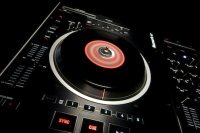 Hot Cues are important for nearly every style of DJ. This guide walks through the basics how to utilize the Hot Cues, why they are important, and how they will benefit you.
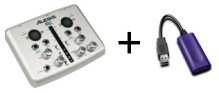 Are you trying to record multiple instruments simultaneously but do not have enough inputs on your audio interface? Well, if you or a friend has a second audio interface laying around you can combine the interfaces and double the amount of inputs and outputs. The instructions below will show you how to achieve this in Ableton on a Windows and Mac.
  In this Tip's N Tricks article, I want to point out a very important tip for getting around one of Apple's more peculiar security precautions in Mac OS X Lion and Mountain Lion. By default, the User Library folder is hidden in Mac OS 10.7 and above. We'll cover a few different methods to easily access this hidden folder.
 This article covers some useful tips and tricks in the Mac OS X terminal. Search for hidden files, Switch between the 32 bit and 64 bit kernel, fixing kernel extensions, enabling NTFS support and more.